Dutch GP
Formula 1 Heineken Dutch Grand PrixEvents
0.00.00 Reviews
- Version
- 6.1.2
- Installs
- 100.00K
- Age Rating
- Everyone
Screenshots
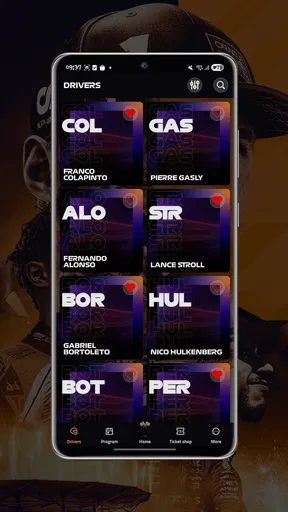
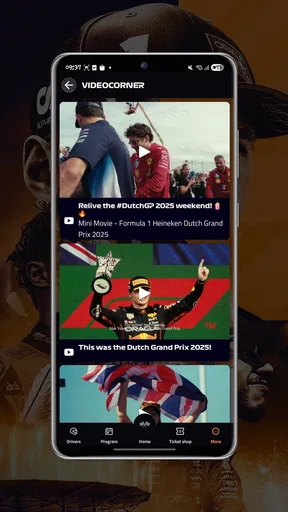
Our Review of Dutch GP
 Analysis by Appyee
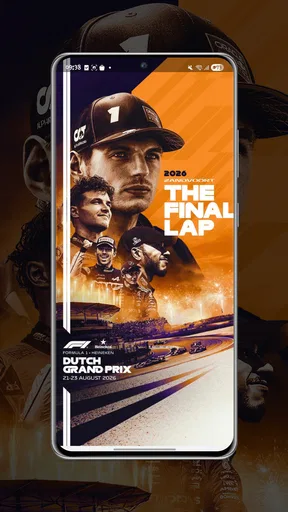
I found the Dutch GP app most useful when I treated it as a companion for following the Formula 1 Heineken Dutch Grand Prix rather than as a general motorsport app. Its short store description is simply “Dutch GP,” while its broader summary says “The Final Lap,” and that narrow identity matters: this is built around one event and its audience. If you are planning to attend, watching with friends, or trying to keep a shared household informed without passing a phone around constantly, it can have a practical place in your routine.
At the same time, I would not install it expecting a complete replacement for a full Formula 1 news, timing, or streaming service. My experience is that a dedicated event app makes most sense when the event itself is the focus. Outside that context, its usefulness depends on how closely you follow the Dutch Grand Prix and whether you prefer one focused source over a broader racing app.
How it works when several people are following the same Grand Prix
The clearest household use case is a shared weekend plan. Imagine one person is watching the race, another is checking practical event information, and a teenager is following the atmosphere around the circuit. Instead of relying on a mixture of browser tabs, social posts, and messages, the Dutch GP app gives the group one event-specific place to check. That does not mean everyone sees exactly the same thing or that the app manages family coordination for you; it simply reduces the need to search repeatedly for the event.
I like this arrangement because a Grand Prix often creates small moments of confusion. Someone wants to know what is happening at the circuit, someone else is trying to keep up while away from the television, and another person may only care about the event schedule or surrounding activity. A focused app is easier to hand to that person than a broad racing platform filled with unrelated championships and stories.
For a shared device, I would use it as a reference screen rather than leave it open all day. Before the race weekend, check the relevant event information together. During the day, let the person who needs it most use the phone, then close the app when finished. This sounds simple, but it avoids a common problem with event apps: one person assumes another has already checked something, while nobody actually knows which page was viewed.
The app is free, which makes that kind of casual household use easier. There is no purchase decision to negotiate before a family member can try it. Its content rating is Everyone, so the basic age context is straightforward for a household with children or younger racing fans. I would still explain that the app is about a real motorsport event and not a game, because a younger user expecting interactive racing may find the experience more informational than playful.
What I would do before handing it to someone else
My practical habit would be to open the app alone first and learn where the most useful event information sits. That small preparation matters more on a busy race day than it does during casual browsing. When another person asks a question, I can direct them to the right area instead of giving them a phone and leaving them to explore while the action is already underway.
I would also avoid treating the app as a family message board. It may help everyone refer to the same event, but coordination still belongs in the household’s normal conversation or messaging tools. If a partner is driving, a child is at school, or a friend is arriving later, the app is not a substitute for agreeing who is responsible for checking information and sharing it.
That distinction is one of the most useful things I noticed. A dedicated event app can centralize reference material, but it cannot solve unclear responsibilities. For a household, the best workflow is to choose one person as the “check-in” contact, look at the app at agreed moments, and pass along only what the others need. This prevents constant phone checking and keeps the app in a supporting role.
Setup, device boundaries, and the difference between an event app and a full racing service
The app comes from Formula 1 Heineken Dutch Grand Prix, so its identity is tied directly to the event rather than to a general-purpose technology company. That gives it a clear purpose, but it also creates a boundary: I would approach it as an official event companion and not assume it offers every feature found in larger Formula 1 applications, live television services, or independent timing tools.
It was released on August 6, 2021, and the current version is 6.1.2. The minimum operating system is Android 9, which is worth checking before installing it on an older shared phone. In a household, compatibility can become an unexpected issue when the device belongs to a child, a grandparent, or a spare phone kept for occasional use. If that phone cannot run the app, the family may end up using screenshots or browser searches instead, which defeats the convenience of having one focused companion.
I would set it up on the device that will actually be available during the event, not necessarily the newest phone in the home. A shared tablet may be easier for two people to view, while a personal phone is better for someone moving around. The right choice depends on the situation, but the trade-off is clear: a larger shared screen improves visibility, whereas a personal device is easier to carry and less likely to interrupt someone else’s use.
There is another boundary I find important: do not assume that installing the app on one household device creates separate experiences for different people. I would not use a shared device for sensitive personal information unless the app clearly requires and explains that arrangement. For ordinary event browsing, one device may be enough. For anything involving an individual’s account, preferences, or notifications, each person should understand whose device and session they are using.
This is where the Dutch GP app differs from the usual alternatives. A general Formula 1 app is normally the better choice for someone who follows the entire championship, wants information across many races, or prefers one permanent racing hub. A streaming service is better for watching live coverage. A social network is better for conversation and instant reactions. A search engine is better when you need one isolated answer quickly. The Dutch GP app is more appealing when you want the event itself presented as the central subject.
My main setup tip is to decide what job the app has before the weekend begins. If its job is event orientation, keep it available and use it alongside your normal viewing method. If you need live video, broad season coverage, or long-term statistics, install or use the service designed for that purpose instead of expecting this focused app to cover everything.
Why a narrow focus can be useful
At first, a single-event app can seem less valuable than a broad racing platform. In practice, the narrow focus can make it easier for less dedicated fans to participate. A family member who does not know every driver or team does not have to navigate an entire season before finding the Dutch Grand Prix. The event name gives everyone a common starting point.
That is especially helpful when friends are visiting for a race weekend. I can recommend the app without asking them to learn a complicated racing service first. They can browse the event context, ask questions, and decide whether they want deeper coverage elsewhere. The limitation is that a serious fan may outgrow it quickly if they want detailed championship comparisons or a permanent archive of races.
I would also avoid installing it on every device automatically. For a couple or family, one main device and one backup device are usually more sensible than filling every phone with an app that may only be relevant around a particular Grand Prix. This keeps the household’s digital space cleaner and makes it obvious which screen contains the shared event information.
Coordinating a race day without turning the app into a control center
A realistic race-day routine might look like this: I check the app in the morning, tell the household what matters, and then leave the phone alone while we watch or travel. Later, another person checks the same app for an update or event detail. The value is not in repeatedly refreshing it; the value is in having a recognizable destination when somebody needs event-specific information.
For a group attending in person, I would agree on a meeting point and communication method separately. The app may help people stay oriented around the Dutch Grand Prix, but I would not rely on it as the only way to find one another. Crowds, low battery, weak reception, and divided attention can all make a phone-based plan fragile. A simple verbal plan remains more dependable.
For a group watching at home, the app works best as a conversation aid. One person can look up the event context while another explains what is happening on screen. This is more comfortable than asking a newcomer to search through unrelated racing pages. It also gives children a way to engage with the event at their own pace, provided an adult is available to answer questions that the app itself does not address.
One non-obvious advantage of a specific event app is that it can reduce argument over sources. In a mixed group, people may bring information from different websites, each with different layouts and priorities. Choosing the Dutch GP app as the shared reference does not guarantee that everyone will interpret the event identically, but it gives the group a common place to begin. That is useful when the purpose is coordination rather than proving who has the most detailed racing knowledge.
There is a trade-off, though. A focused app can become less useful if the household’s needs are broader than the event. If one person wants championship standings, another wants video, and a third wants international racing news, the group will still need other tools. I would not force everyone onto the Dutch GP app simply because it is the official event companion. The best household setup lets each person use the service that matches their task while keeping one shared reference for event-specific questions.
Keeping younger users involved without pretending the app is a game
Because the age rating is Everyone, I see it as suitable for general family browsing in the normal sense. A parent can look through the event information with a child, explain unfamiliar terms, and use the Grand Prix as a starting point for discussing cars, drivers, travel, or sportsmanship. That shared approach is more valuable than simply putting the phone in a child’s hands and assuming the app will teach everything automatically.
I would set expectations clearly. The app’s identity is tied to the Dutch GP, not to an open-ended racing game. A child looking for driving controls, car upgrades, or a career mode should use a dedicated racing game instead. A child who wants to understand what adults are watching may enjoy browsing it with someone who can provide context.
Trust also matters with shared devices. I would make sure younger users know which phone they are using, avoid mixing the app with another person’s private accounts, and return the device when the agreed browsing time is over. Those are household rules rather than special features, but they prevent a simple event app from becoming part of a larger privacy or screen-time misunderstanding.
For older children and teenagers, the app can be a reasonable first step toward following a real sporting event. It gives them a focused subject to explore without requiring immediate knowledge of the whole Formula 1 season. Still, I would encourage them to compare it with broader sources once their interest grows. That way, the app remains a clear event guide rather than becoming their only view of the sport.
Who should use it, and who should choose something else
I would recommend the Dutch GP app to someone attending or closely following the Dutch Grand Prix, especially if they want an event-specific companion that can be shared casually with friends or family. It is also a sensible choice for a newer fan who finds broad motorsport apps overwhelming. The free price removes the main barrier to trying it, and the Everyone rating makes it easier to introduce in a mixed-age household.
I would be more cautious if you want a year-round Formula 1 home. A dedicated season-wide app will usually make more sense for someone who follows every race and wants continuity between events. If watching the race is your priority, use a legitimate streaming or television option. If detailed analysis is what you want, look for a specialist racing source. The Dutch GP app should not be judged badly for failing to be all of those things; it should simply be used for the job it is designed around.
I would also skip it if your phone runs an operating system older than Android 9, or if your household has no interest in this particular Grand Prix. Installing a focused event app “just in case” is unlikely to add much value. In that situation, a browser bookmark or a broader racing service may be more practical, depending on how often you follow motorsport.
One useful decision test is to ask whether your next few questions are all about the Dutch Grand Prix. If the answer is yes, the app’s focused design is a strength. If your questions immediately expand to other races, historical comparisons, live video, or detailed season tracking, another option will probably serve you better. That test helped me avoid expecting a single event companion to behave like an entire Formula 1 ecosystem.
My household verdict
After using it as an event companion, I see the Dutch GP app as a focused, approachable tool rather than a complete racing destination. Its strongest quality is clarity of purpose: it gives a household, visiting friends, or a newer fan one recognizable place to begin with the Dutch Grand Prix. The free access and Everyone age rating make casual shared use uncomplicated, while the Android 9 requirement is the main practical compatibility detail to check before relying on an older device.
My advice is to install it on the device that will genuinely be available during the event, decide who will check it, and keep separate tools for viewing, messaging, or broader Formula 1 coverage. That workflow respects both its strengths and its limits. It can support coordination, but it cannot replace a household plan; it can introduce younger fans to the event, but it is not a racing game; and it can organize event-focused browsing, but it is not necessarily the best permanent home for a committed season-long follower.
For me, that makes Dutch GP worth trying when the Dutch Grand Prix is the shared focus of the day. I would recommend it to a friend who wants a simple event reference for a race weekend, particularly when several people are following along at different levels. I would not recommend making it the only motorsport app in the home unless everyone’s interest really does begin and end with this event.
Verdict
Strengths of Dutch GP
- Official Dutch Grand Prix coverage with schedules and race information.
- Useful circuit details, including Zandvoort track maps and key locations.
- Helps fans keep up with event announcements and last-minute updates.
- Convenient for planning a visit with practical venue information.
- Relevant content for Formula 1 followers attending or watching the race.
Limitations of Dutch GP
- Some features may be useful only during the Dutch Grand Prix weekend.
- Information can become outdated quickly after the event has finished.
- The app may require notifications for timely updates and announcements.
- Coverage is focused on the Dutch GP rather than the full F1 season.
- Performance and content availability may vary by device or network.
Similar Picks in This Category
View All
Easy Quran Mp3 Audio Offline
Muslim Worldapp4.7

Invitation Maker: Cards & RSVP
Greetings Island4.9

StubHub - Live Event Tickets
StubHub4.3

Fever: Events & Tickets
Fever Labs4.7

Epic Freebie Games Radar
Arioch Pds - Apps & Games4.4

Invitation card Maker, Design
Splendid App Maker4.9
Frequently Asked Questions
What is Dutch GP?
Dutch GP is a mobile application focused on the Formula 1 Dutch Grand Prix at Circuit Zandvoort. After exploring the app, its main purpose appears to be helping fans follow event information such as schedules, sessions, circuit details, news, updates, and other race-related content. It is designed for supporters who want convenient access to Dutch Grand Prix information from an Android or iOS device.
What information can I find in the Dutch GP app?
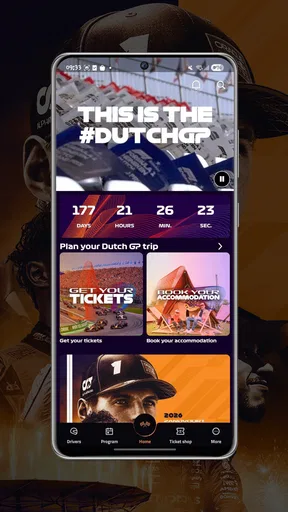
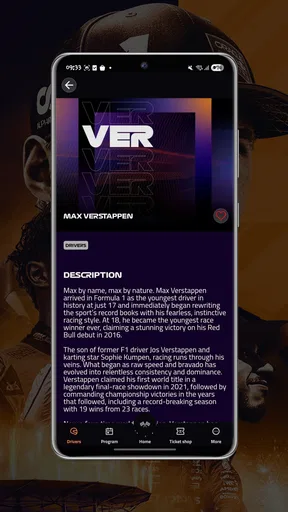
The app generally brings together practical information for attending or following the Dutch Grand Prix. Depending on the current event edition, users may find session timetables, circuit maps, visitor guidance, news, announcements, transportation details, and entertainment information. Some features can change between race seasons, so it is worth checking the available sections after installation and confirming important details through official event communications.
Does Dutch GP provide live Formula 1 timing or race streaming?
Dutch GP should not automatically be considered a replacement for an official Formula 1 timing or streaming service. The app is primarily intended for Dutch Grand Prix event information and fan assistance, while live timing, video coverage, and full race broadcasts may depend on separate official platforms, television providers, or regional subscriptions. Check the app description and current features before downloading if live coverage is your main requirement.
Is Dutch GP useful if I am attending the race at Circuit Zandvoort?
Yes, the app can be especially useful for visitors attending the event in person. It may help you review the weekend schedule, locate facilities, understand the circuit layout, follow event announcements, and find practical guidance before and during your visit. Mobile connectivity, battery life, and the availability of updated content can affect the experience, so downloading the app and checking key information before arriving is recommended.
Is Dutch GP free to download, and is it available for Android and iPhone?
The Dutch GP application is generally distributed through official mobile app stores, where the download may be free, although availability and supported devices can vary by country and event season. Some services connected with the race could require registration, tickets, or external purchases. Before installing, review the store listing for the latest compatibility requirements, privacy details, permissions, and any possible in-app costs.
